CREATOR KIT
Make a beat, post the video, let people remix it
plip turns the song you just made into a vertical clip in one tap: cut on the bar line, captioned, with your critters dancing and your fingers on the pads. It ends with a REMIX THIS code that opens your song, so the people who watch can play with it too.
Free, no ads, no sign-up. Runs in the browser on phones, tablets and computers.
- 15 AND 30 SEC CLIPS
- REMIX THIS CODE
- NO SCREEN RECORDING
SOUND FAMILIAR?
Screen recordings of music apps look messy and sound worse.
plip films itself. The video is drawn by plip as it plays, with the sound straight from the music, not the microphone. Your taps show as soft dots, so people see what you played.
Cutting a loop to 15 seconds on the beat takes an editor.
15 S or 30 S. Pick a length under MAKE A VIDEO and one tap records whole 4-bar phrases from the top of your loop, as close to that length as the tempo allows. It opens on the party with your caption and loops cleanly when the app replays it.
Every comment asks what app that is.
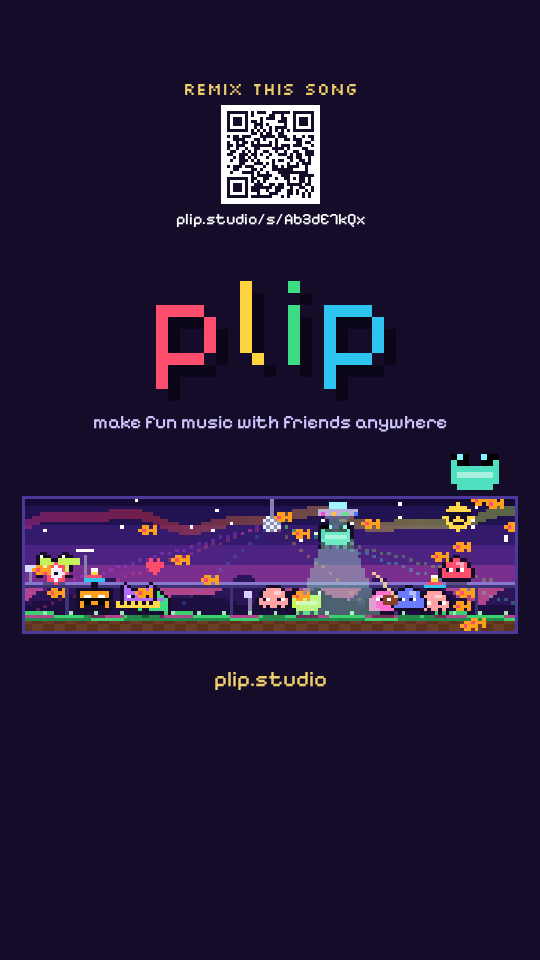
REMIX THIS. The last second shows a QR code and a short link that open your exact song in plip. Nothing to explain in the comments.
The best moment happened before you hit record.
CLIP THAT. While you play, the yellow camera beside SHARE turns the last 15 or 30 seconds into a video, in whole bars, while the music keeps going.
A beat video gets a like and is forgotten.
Remixes come back to you. When someone remixes a song you put on the Jam Wall, plip tells you once, the next time you open it, and plays their version.
Collab content needs two phones and a lot of syncing.
TOGETHER. Friends join with a word and every phone plays the same beat. FILM THE MOMENT counts down 3, 2, 1 on every phone, then lights them all up IN SYNC on the same bar: point a camera at them.
THE TEMPLATE: A CLIP PEOPLE WATCH TWICE
- Start mid-groove. Have the loop playing before you record, so the first second already moves. A starter beat (LO-FI, HOUSE, TRAP, POP, CHILL, D&B) is a fine place to begin.
- Tap SHARE, pick 15 S, then MAKE A VIDEO. It records at once, vertical, with your caption over the party where the app buttons don't cover it.
- Play something live in the middle. Hold an FX pad (STUTR, CHOP, DUB), play a hook on the keys, or open ROLL. Hands on screen keep people watching.
- Let the end card land. Your song name and the REMIX THIS code come up over the last bars, plip plays its little three-note sting right on the loop point and your critter hops, so the replay runs straight back into bar 1.
- Post it. The finished clip opens your share sheet. TAP COPY CAPTION and paste it into your post: your song, @plip.studio and #madeinplip. Tag @plip.studio and we might share it.
CAPTION IDEAS
- made this beat on my phone in 5 minutes
- scan the end, remix my beat
- my friend and I made this on two phones
- which pad hits hardest? STUTR or CHOP
- #madeinplip (plip's own tag: COPY CAPTION adds it with @plip.studio)
- #plipchallenge (on TRY IT weeks your video carries the sticker and the tag by itself)
YOUR SOUND, YOUR VIDEO
The audio is your song
Every sound in plip is made by plip as it plays, with no samples or loops from anyone else, so the music in your clip is yours. Instagram and TikTok each have their own setting for letting others use the sound from your post.
Need the clean track?
SHARE has WAV and MP3 for the full song, and FOR YOUR DAW makes stems and MIDI for anything you edit elsewhere.
Just the music
In SHARE, LOOK: JUST THE MUSIC makes a vertical video with no controls: your critter in the middle of a pixel spectrum in your instruments' colours, shockwaves on the kick, notes bursting out on every hit, the chord playing right now, a critter for every instrument lighting up as it plays, MADE ON A PHONE (or MADE TOGETHER WITH your friends), your song's name and plip.studio. Good for a song you want heard, not explained.
TIPS
- Your critter stars at the end of every video. Pick its shape, colour and an extra in FILE, SETTINGS (or tap it at the party).
- Don't want the code on a clip? FILE, SETTINGS turns REMIX THIS off. The link is private: it opens the song, it never puts it on the Wall.
- The studio look (hold the logo for a second) gives your videos a darker, hardware feel.
QUESTIONS
Is the REMIX THIS link public?
Can I make a square video?
Does it work for students in a class?
MORE ABOUT PLIP
Make it, film it, let them remix it.
OPEN PLIP