FOR LIVE JAMS
Your phone is the groovebox. Play it live.
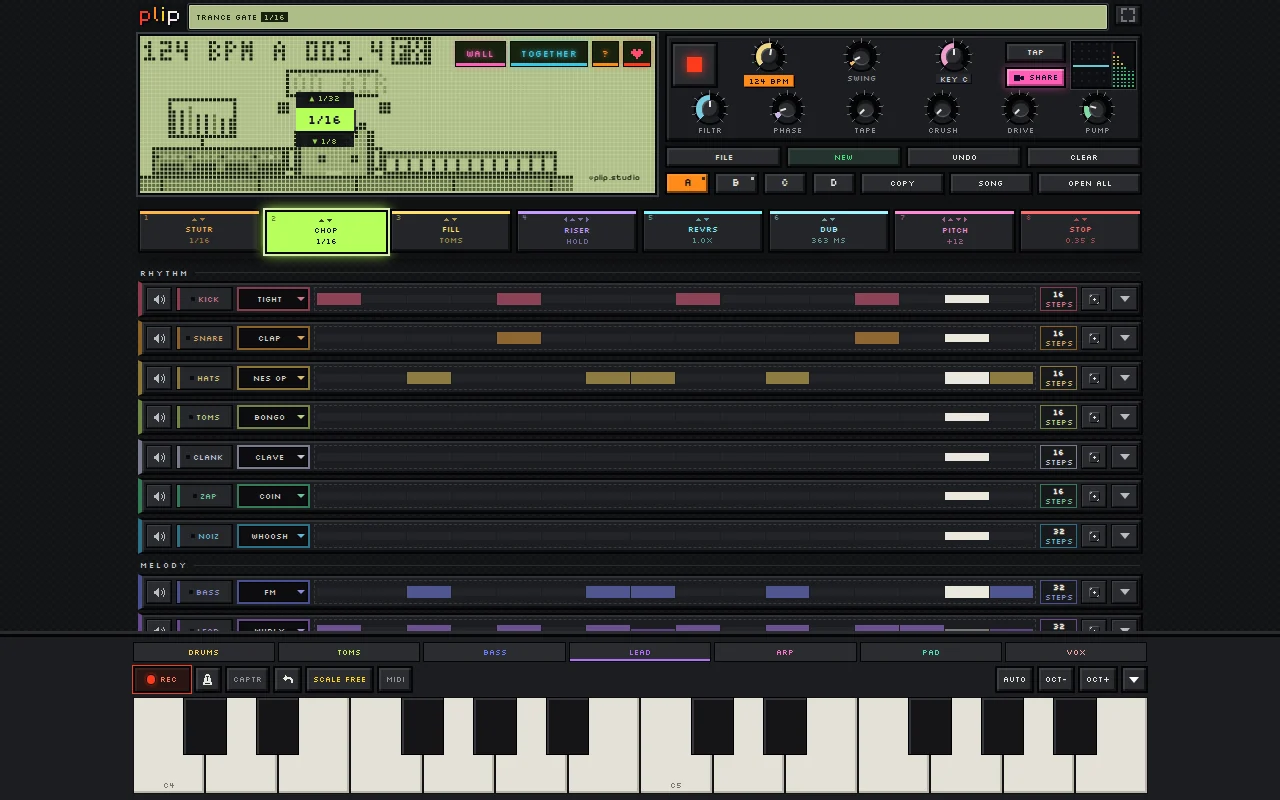
Hold a pad and bend it, drop patterns on the bar, loop one bar while the rest rolls on. Put a phone, a tablet and a laptop on the same beat and you have a rig to improvise on, alone or with other players.
Free, no ads, no sign-up. Runs in the browser on phones, tablets and computers.
- 8 FX PADS
- CHANGES ON THE BAR
- DEVICES IN SYNC
- FREE
SOUND FAMILIAR?
Grooveboxes are expensive and heavy.
Use what you already carry. plip runs on your phone, tablet or laptop, and it's free.
Laptop sets mean staring at a screen and clicking.
Pads you play with your fingers. Hold STUTR, CHOP, FILL, RISER, REVRS, DUB, PITCH or STOP and drag to bend it. Let go and it's gone.
One wrong tap can wreck the set.
Changes land on the bar. Patterns and mutes wait for the next bar line, pads only act while held, and UNDO (hold it for REDO) takes back anything else.
Syncing devices takes cables and setup.
One word, no cables. TOGETHER puts devices on one beat. The one plugged into the speaker plays every part, with a mixer strip each.
I never get a recording of the good jams.
Record as you play. MAKE A VIDEO captures the screen and the sound until you tap STOP. With friends, CLIP THAT keeps the last 30 seconds.
PERFORMANCE TOOLS
On the bar
Pattern changes wait for the next bar (double-tap to go now), and mutes can too, like launching clips.
Bar loops
Double-tap a page to loop that bar with everything else playing; add pages to loop them in order.
Moves that stick
Turn a knob with REC on and the motion plays every loop. Pattern knobs bring their own FX settings with each pattern.
Laptop and MIDI
Keys 1 to 8 hold the pads, Shift+1 to 4 switch patterns. MIDI keyboards and MIDI LEARN in Chrome and Edge.
ONE PERFORMER, SEVERAL DEVICES
- Start on the speaker device. Tap TOGETHER, INVITE FRIENDS, then THIS PHONE IS THE SPEAKER.
- Join from the others. Type the word or scan the code. Each becomes a player with its own part: drums on one, bass and chords on another.
- Play. Loops recorded anywhere join the speaker from the next pass; pads held on a player land on its part on the next beat.
TIPS
- Every device just needs to be online, even side by side.
- For the tightest timing, connect the speaker device with a cable.
- Set the tempo with TEMPO or TAP; plip follows your MIDI controller's start and stop.
QUESTIONS
Can one person really play several devices at once?
Can I finish the set in a DAW?
MORE ABOUT PLIP
Sound in one tap. Nothing to install.
OPEN PLIP