FOR BEAT MAKERS
Catch the beat when it comes. Finish it in your DAW.
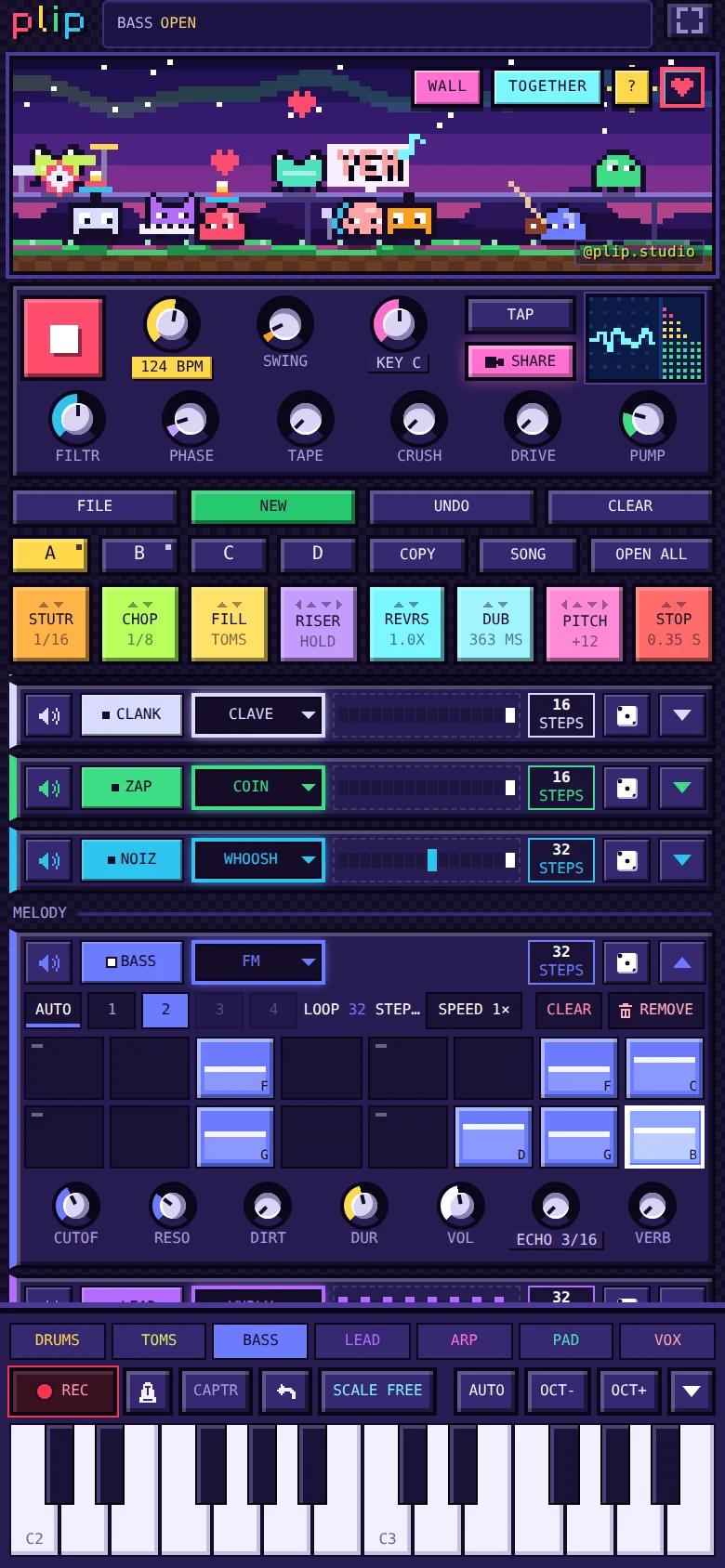
plip is a groovebox in your browser: a step sequencer, a piano roll and 1,000+ synth sounds, quick on a phone and deep enough to keep you digging. When the idea is ready, it goes to your DAW as stems and MIDI.
Free, no ads, no sign-up. Runs in the browser on phones, tablets and computers.
- 128-STEP LOOPS
- PIANO ROLL
- STEMS + MIDI OUT
- FREE
SOUND FAMILIAR?
The idea hits when I'm nowhere near my setup.
Open it on your phone in seconds. plip runs in the browser and saves as you go, so the sketch is there when you come back.
Getting a phone sketch into my DAW means starting over.
FOR YOUR DAW. One .zip with a WAV per instrument, the full mix and a MIDI file of exactly the notes you heard, all from bar 1 at your tempo. Loops repeat seamlessly.
Step sequencers sound stiff.
Groove on every step. MPC-style swing, soft and accent steps, chance, rolls up to x4 and flams, and a different loop length on every instrument.
Piano rolls on a phone are fiddly.
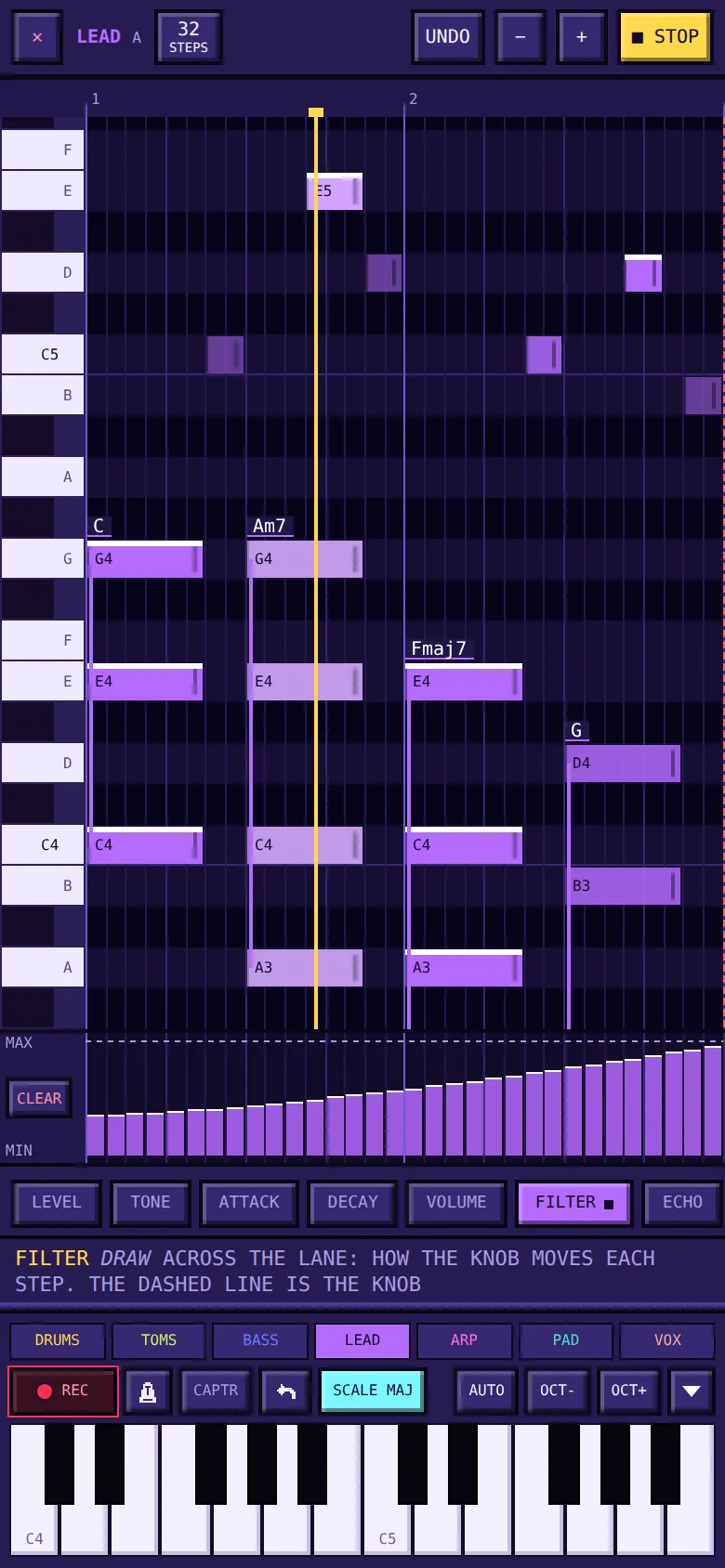
A roll built for fingers. Tap to add a note, drag to move it, drag its end to stretch it, pinch to zoom, and draw filter sweeps right under the notes.
Sound packs cost money and gigabytes.
1,000+ sounds, nothing to download. All synthesized live, from tight kicks to a long 808, acid bass and e-pianos. Hold any sound to redesign it.
THE KIT
- Piano roll: every note with its real length, chords named, and lanes under the notes for level and knob sweeps. Same music as the grid and the keys.
- Arrange: 16 patterns switched on the bar, a SONG chain of up to 32 slots, bar copy and bar loops. Any instrument can have its own sound in a pattern, so a soft kick in the verse can turn into a big one for the drop.
- Mix: FILTR, PHASE, TAPE, CRUSH, DRIVE and PUMP (sidechain from the kick) on the master, and every knob records its motion.
- Start fast: starter beats in 6 genres, written from each genre's production habits, never copied from a song.
- Play in: a MIDI keyboard (Chrome and Edge) or your laptop keys; record what you play, or CAPTR what you just played.
TIPS
- Plug in a MIDI keyboard in Chrome or Edge: notes, velocity, sustain, pitch bend and MIDI LEARN for the knobs.
- Hold any square for its options, and any sound to open it in the Sound Lab.
TAKING IT TO YOUR DAW
- What you get: one .zip with a stereo WAV per instrument (32-bit float, at your device's sample rate, usually 48 kHz), the full mix (24-bit) and a MIDI file, all starting at bar 1 and the same length, named with the title, tempo and key.
- Sound: MIXED is plip's sound, and the stems add up to the full mix. DRY gives clean parts, with the echo and the reverb as stems of their own.
- Length: all of your music by default: the whole SONG with its sections marked, or every pattern with music, once each. Or one pattern once, twice or 4 times, always its full cycle (a 3 bar part over a 4 bar beat runs 12 bars). Loops are rendered so they repeat seamlessly.
- Size: about 23 MB per instrument per minute, so a one-minute song with eight instruments is about 200 MB. It renders on your device: for long songs with many parts, a computer is the comfortable choice.
- MIDI: exactly the notes you heard, with their velocities, one track per instrument and drums on channel 10. Knob motion and effects are in the stems, not the MIDI. FX pad moves you record play in videos, WAV and MP3.
QUESTIONS
How tight is the timing?
MORE ABOUT PLIP
Sound in one tap. Nothing to install.
OPEN PLIP